How to Print Cheques in Bulk
Enter the details for a run of cheques, then print the batch in one pass instead of opening the print window once per cheque.
Create cheque books, print single or bulk cheques, and print on the reverse of a cheque.
5 articles
Enter the details for a run of cheques, then print the batch in one pass instead of opening the print window once per cheque.
Print deposit details, an account number or a phone number on the reverse of a cheque, and save the text as a reusable hint.
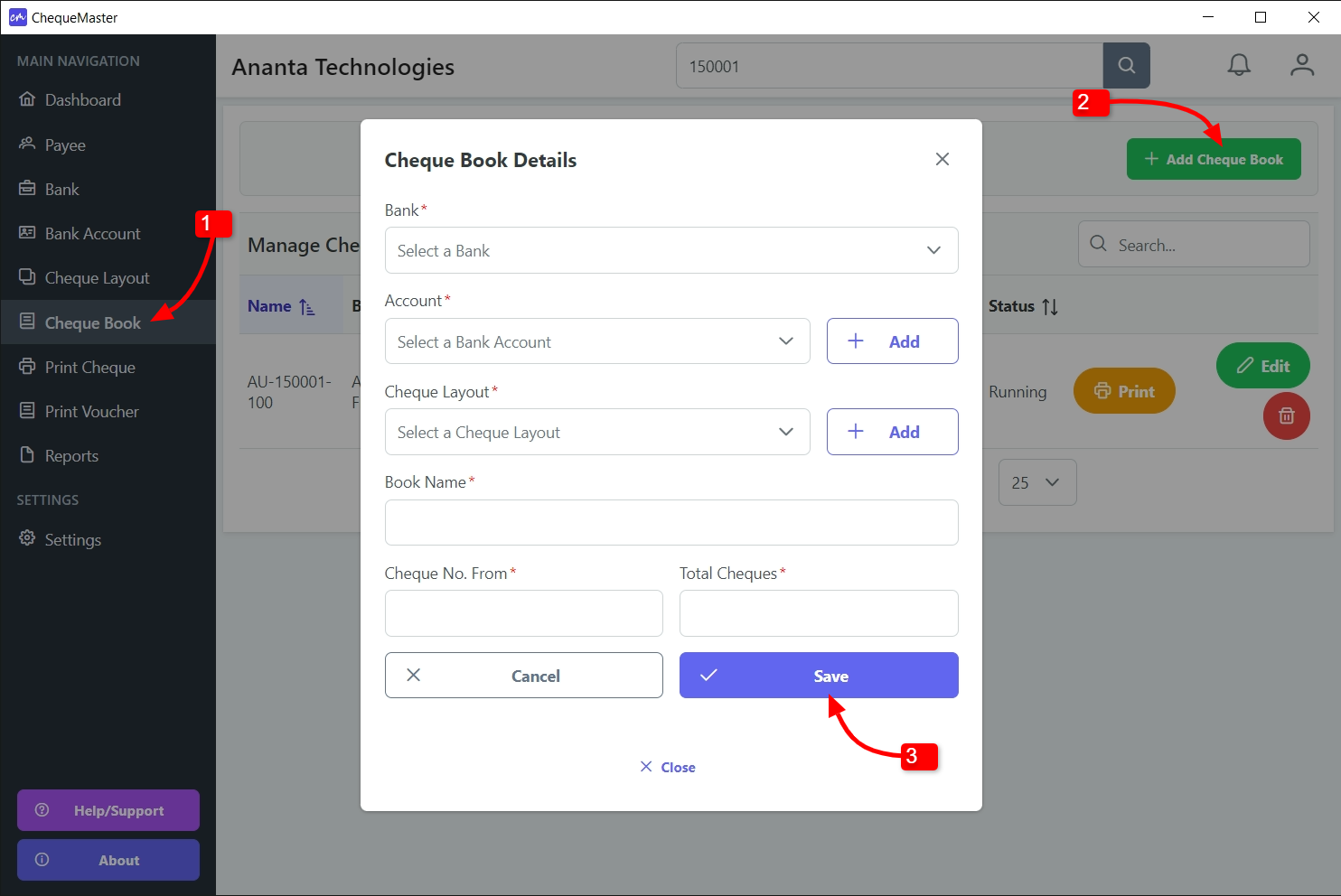
A cheque book ties a bank account to a layout and a numbered range, so every printed cheque is recorded against the right number.
Print an A4 payment voucher alongside the cheque, with voucher number, description and Prepared/Approved/Received signature blocks.
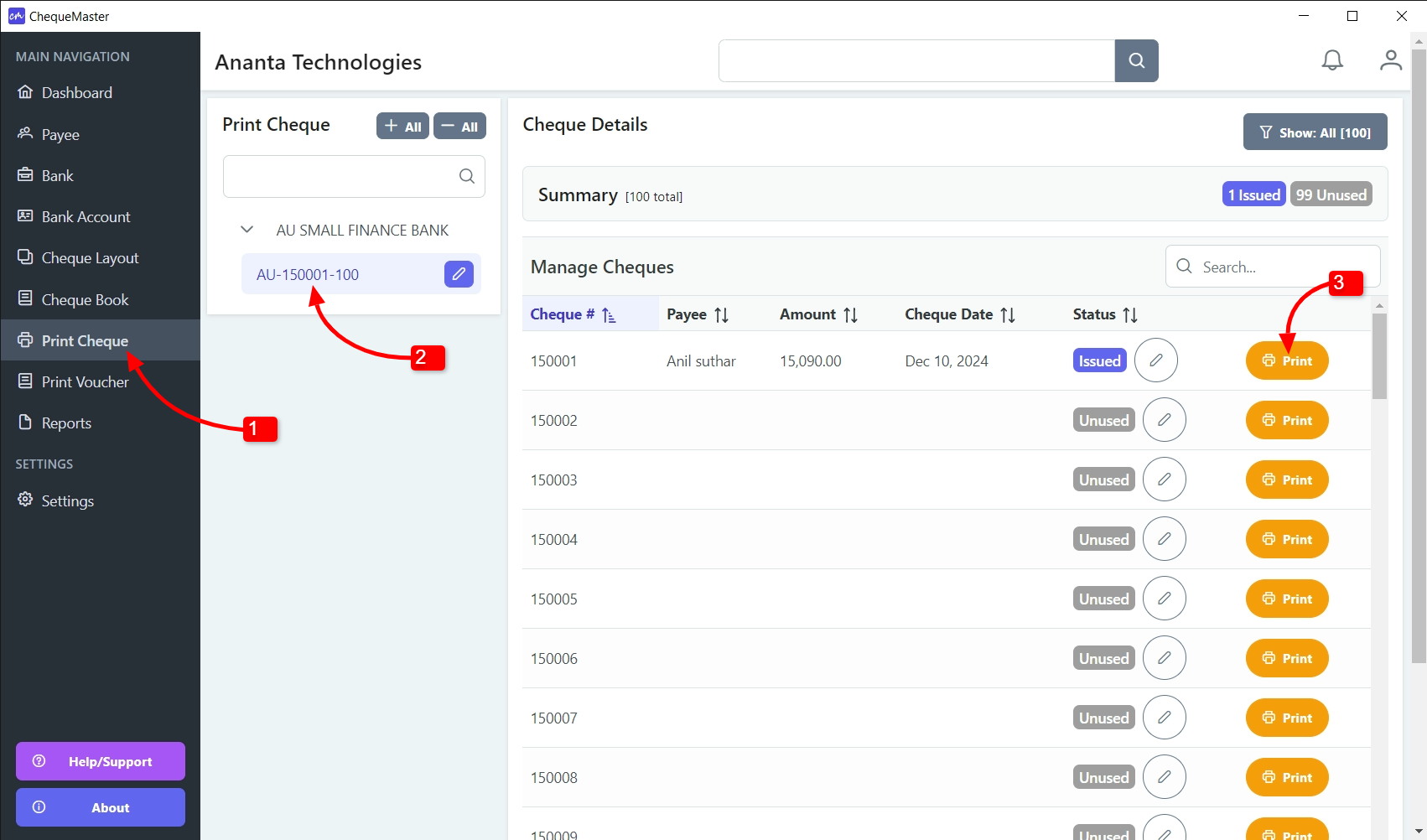
Two ways to print a cheque: pick it from the cheque book list, or type the cheque number into the search box and print straight from the results.
Try it for free.
Print bank cheques of any size on your Windows PC — fast, accurate, multi-bank and multi-language. Enjoy the simplicity and comfort of cheque writing!
Copyright © 2026 ChequeMaster. All rights reserved.
Made with care in India 🇮🇳